Sunday, 15 January 2017

The Chromiumbook

It’s little wonder the Chromebook never really took off in India. I mean, I’ve done an online search for one just now, and there’s just no solid result. But hold on, what’s a Chromebook, you ask? Simple — it’s Google’s answer to the ever-burgeoning tyranny of slow, bloated Windows PCs, which aims to deliver fast and easy computing to anyone who lives only on for the internet. And how do they achieve it? They get rid of everything but the Chrome browser, call it Chrome OS, slap it inside a plastic box with a keyboard and sell it to you for a somewhat modest price of ₹16,000. I can almost guess what you're thinking now. Which wasteful addle-head would ever want to buy a boxed web browser that’s already free to begin with for that much money?

In college, I wanted a Chromebook quite badly. Despite owning a couple of computers that worked just fine, I ached for a computing experience that was free of Windows and its cursed Blue Screen of Death. I also longed to be a member of that exclusive Anti-Windows club who always used something special, and something quirky, like a pre-release Linux distro no one had ever heard of, or at least a Macintosh. Obviously, I couldn’t get myself a Macintosh; I valued my kidneys far too much. But I’d seen that club of avant-garde users, yes, and had felt what they felt. They were the ones who sneered at the very sight of a Windows computer, and if ever they had to use one, they did so only with their left hands and reserved the choicest of expletives for when it behaved badly. OK, I’m overstating that now.

Happily, I never bought one because I knew deep down I’d never be able to rationalise a purchase so impractical. But the Chromebook really isn’t all that impractical — it’s just you and the internet, without any hindrances. There’s no antivirus program demanding you to scan drives and renew your subscription, or Windows Update forcing you to quit doing whatever you’re doing to install critical updates, or Internet Explorer haranguing you over some worthless add-ons.

The fact of the matter is that the Chromebook is just here at the wrong time and has no definite, targeted customer. You see, in the western world, getting a Chromebook over a Windows PC can actually be a good idea because it’s far cheaper there than it is in India; it starts at about ₹10,000. A majority of the American schools and colleges are already using Chromebook as their preferred classroom device because it’s easier to configure and deploy. Also, a Chromebook sold in India won’t feature cellular connectivity, and is likely to have only two gigabytes of memory, as opposed to a global model that might have four. With the memory halved, and with only WiFi to connect through, the Chromebook becomes a seriously limited device. And when was the last time you went to an eatery with a proper, working wireless internet connection? See?

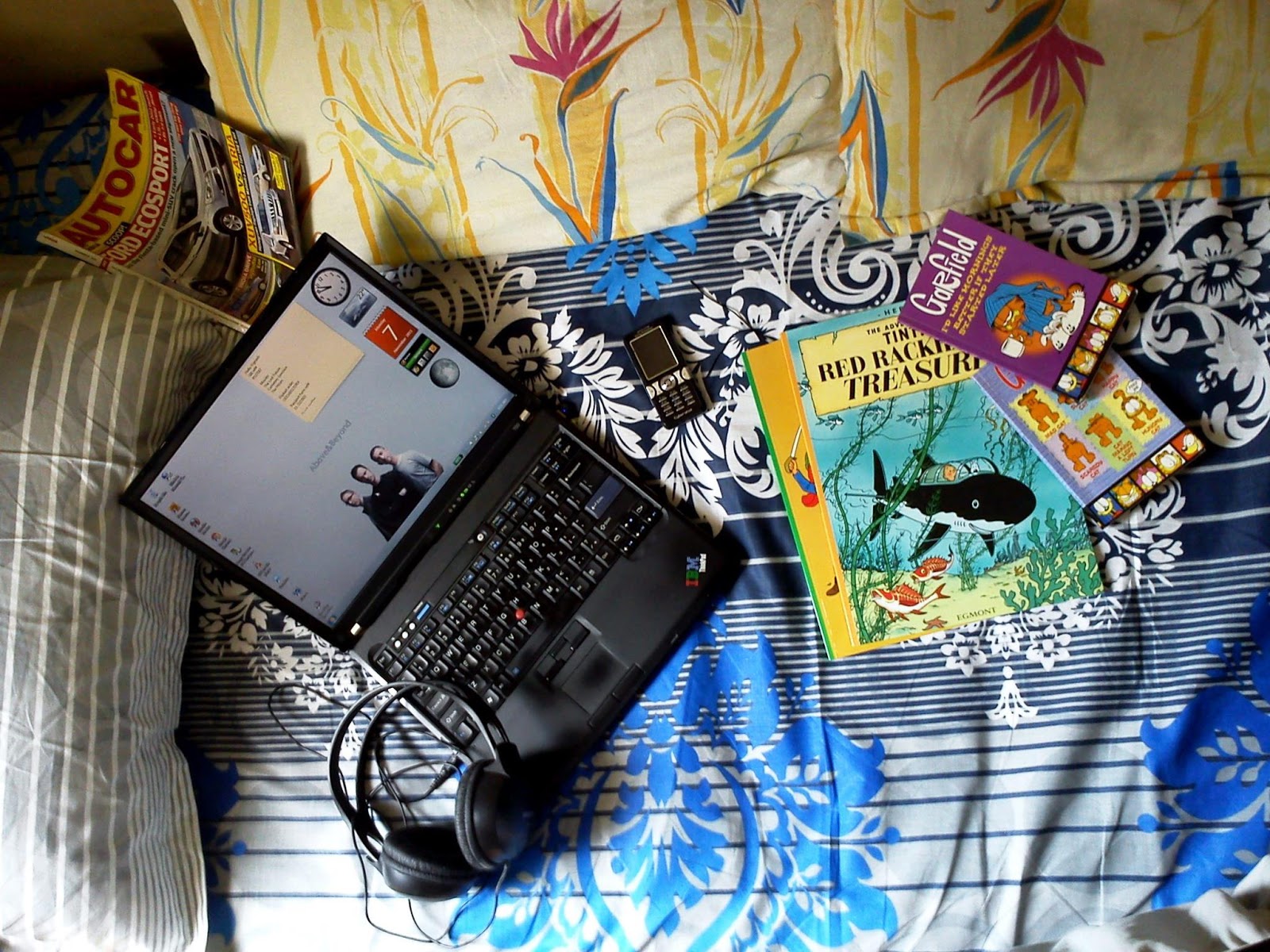
A couple of weeks ago, I found another way to whet my old curiosity. I came across something called CloudReady, an open-source operating system based on Chromium OS, which uses the same architecture as Chrome OS. To spare you the confusion, I’ll just call Chromium OS the same as Chrome OS, but without all the colourful makeup that its rich daddy Google buys it. In other words, Chrome would be Dudley Dursley, the chubby, attention-grabbing blowhard of a kid, and Chromium, the other cupboard-dwelling boy who no one ever knew existed. Anyhow, when I went through CloudReady’s documentation, I was glad to know that it had certified support for a model I happened to have lying around at home — a ThinkPad T60. This ten-year old IBM machine was a great companion through college, but was now reduced to being an email-checking machine on a slow Sunday. I just had to do it; I just had to turn it into a Chromium-book.

The CloudReady installation went well, and since then, my dad and I have been taking turns toying with it. I’m happy to report that the experience has been very agreeable so far. Cold boots happen in under ten seconds, all the drivers seem to work flawlessly, the battery lasts a good two hours, and switching users is a cinch. Surprisingly, it’s almost completely free of bugs. Casting the entire screen to a TV seems to get it though, but it’s a minor glitch I can overlook. On the whole, it’s a very good setup for a browser that’s been turned into an operating system.

Would I ever buy a Chromebook, now that I’ve got a glimpse of it through my quasi-Chromebook? Oh heavens, no, I am very much over the Chromebook. Windows may be ridiculously complicated and thick at times, but I simply cannot live without my favourite applications, like Dropbox, iTunes, f.lux, and WordWeb. Here’s what Google could do though — release the Chrome OS officially, as a standalone operating system, so old computers like the T60 can earn a new lease of life. But I know that's never going to happen. I mean, would the Dursleys ever let their Ickle Diddykins get a bad name because a large snake escaped the zoo during their visit? Oh no, they'd have Harry to blame for it.

Until next time...
Vignesh


Monday, 26 September 2016

An Allo-rgic Reaction

The signs are clear as day — Google is the next Microsoft; confused, cluttered, and pushy. The company that spent the last five years unifying all its chat services has now released not one, but three new applications to restart the confusion. Some brains, right?

In the last few months, Google has launched a discussions app called Spaces, a video-chatting app called Duo, and now, a mobile messaging app called Allo. But I want to address Allo particularly in this post.

In my opinion, Google’s original chat service, Google Talk, was perfect for its time; it was simple, cross-platform, and lightweight. And along came Hangouts, which made for a decent successor. True, Hangouts initially suffered from numerous performance issues, but today, it is a worthy contender against the likes of WhatsApp and Facebook Messenger.

Google doesn’t seem to think so. Google believes that it ought to have its own real WhatsApp-rival, one that works using a phone number and not a Google account. And why is that, you ask? It’s because WhatsApp, in recent years, has grown tenfold in popularity and user base (especially in India) and Google believes that it has the wherewithal to outclass it. Also, no one ever really got the concept of Hangouts, although it’s quite simple really.

So I gave Allo a go for a couple of days and watched it crash beautifully on my Nexus 5X (so much for ideal Android apps testing ground, eh). Feeling content that two days was sufficient time spent testing the damn thing, I uninstalled it, got on my computer, and started typing.

Let's get straight to the rub — the much debated features of the app, Google Assistant and Smart Reply. In short, here’s what Google has developed — a third wheel that will constantly butt into your conversations with ready answers when discussing facts. And it won't just stop at being Hermione; it'll show you suggested replies for your texts, like 'OK’ and 'Haha’ depending on the incoming text. There is also a separate contact called Google Assistant that you can chat with. It’s Siri, but à la Google. Knock yourself out.

To improve these reply suggestions over time, the app will continuously record your replying styles and get a better understanding of who you are and how you text, robbing you clean of your privacy. But for now, let’s try and overlook that, because privacy was lost the day we got online. I am more worried about how we’re being robbed of our individuality.

Have you observed how your recipients read your messages so quickly and easily, but reply less frequently? I’m sure you’ve observed it; even got mad at times. By nature, it’s easy for us human beings to read something, but when asked to actively participate in a conversation, we’ll have to consciously apply time and effort. The Smart Reply feature in Allo is designed to help us in this process of replying, but I fear it may only do more damage than help. I am worried that in the name of convenience, we’ll slowly lose our sense of originality and spontaneity.

Think about it — at some point in the future, this app is going to be answering for us almost all the time, forcing us to choose one of the suggested replies over opening up the keyboard and typing; and we’ll give in, because it’s just so much faster. And our poor recipients will barely be able to tell the difference. Sure, it’ll know us well enough to suggest an ‘OMG! That’s dank!’ over a ‘It’s terrific!’ every once in a while, just to spice things up, but really? Do we really want a machine spicing things up for us?

And OK Google, it’s great to be in the know, but I’d hate to have unsolicited information shoved down my throat all the time. Besides, that’s what Google Now on Tap was designed for — so I can long-press the home button and expect Google Now to scan my screen for potential keywords to Google. Why is Google confusing everything again?

Allo can be a pain even if you don’t install it. Since it’s a Google app, and since Google calls all the shots on Android phones, you may receive text notifications from the app even if you haven’t installed it. Android’s undercover agent, Google Play services will ensure you get a pop-up of the message sent to you on Allo and also offer a link to the installation page. Doesn’t that sound like something Microsoft would do? On the bright side (if you can call it that), Google plans on bringing this app-less notification feature to other messaging apps as well.

Let’s try and sum up what I’m on about. Am I looking at Allo with a jaundiced eye? Yes, evidently. Can I be blamed? No! Because in an era where we ought to be standardising chat clients, we’re only seeing more of them crop up with agendas of their own. I am used to the flexibility protocols like XMPP offered over half a decade ago. And now, I am forced to see (and use, eventually) more and more platform-specific apps whose coolest features are animated stickers and a computer algorithm that can tell me knock-knock jokes.

As a stubborn millennial, all I can do is hold off the transition for as long as I can, dissuade my friends and family from texting on something new and rubbish, and finally give in when everyone I know is using it. Sheesh.


Until next time...
Vignesh


Thursday, 23 June 2016

Print History

I was thoroughly ecstatic when, about fifteen years ago, my father walked into the room and announced we were going to buy a printer. I must’ve been in my third or fourth standard and I was in raptures on hearing the good news. Back then, if you were a schoolkid with your own home computer, you were already pretty cool. And I was having the whole works - a personal computer (replete with oodles of games on it), internet connection (I was already communicating with emails then), and a CD writer (floppy disks were passé even back then), soon to be joined by a colour ink-jet printer.

Our first printer then, was an Epson Stylus C41UX - a petite four-colour inkjet. To the rest of the world, it was a run-of-the-mill economy home printer, but to me, it was witchcraft - the right combination of cyan, magenta, yellow, and black inks could create just about any colour I wanted? No way! And these minute droplets of ink would be squirted on moving paper using tiny piezoelectric nozzles on the print-head that rapidly dashed from side to side? Get out!

I spent the first few months wearing the printer in how a ten-year-old with computer access should; I would print photos of my family, pictures of my favourite cartoon characters (Tintin and Gohan, to name a couple), and recipes for homemade pizzas and whatnots. And if I got bored printing those, I'd waste more ink printing jewel case labels for my mixtape CDs and outlines for paper cut-outs of Japanese hatchbacks and Airbus aeroplanes.

That Epson went on to serve us for over five years. During its final years of commission, the printer would use the better portion of every ink cartridge installed to clean and align its print-head. If the printer seemed to be in a good mood, it would use two out of its four available colours to present us with a dull, pink or bluish image of a beautiful green leaf. And if it didn’t feel like it, it would refuse to feed paper until one of us forcibly jammed it in, and would then continue to be adamant by simply squirting an amorphous blob of ink on paper instead of printing what was commanded.

Our second printer was an HP F4185 All-in-One, a boxy multifunction printer that could not only print, but also scan, and make copies without requiring a command from the computer. I liked how HP’s thermal inkjet technology felt so ahead of the curve and how it was capable of consuming ink in picolitres, unlike the Epson, which always gave us the appearance of a child that constantly wet its pants and asked for more water. The fact that it was a lot quieter while printing was something I both liked and disliked; I guess it was like using a modern, refined fuel-injected car, but missing the bangs and whirrs of the old one.

I was in high-school when the HP came along, but I was just as excited to fiddle around with it. I would print innumerable custom-designed CD labels and posters on expensive specialty paper. I would also slide documents onto the scanning glass and hit the copy button blithely to save myself a walk to the photocopy shop, a lazy habit that would occasionally end with me being severely reprimanded. I’d impress my teachers regularly with full-colour printouts of project work while everyone else submitted black and white. This lunchbox of a printer was also a trooper that survived over five years.

One of my old CD labels for a CD with songs ripped off the radio I think.


Feeling confident about the brand and an itch to go wireless, we replaced the F4185 with yet another HP - the 3515. Boy, were we wrong. This was a dreadful All-in-One printer. It was plagued with a litany of faults right from the start; the paper never once fed correctly without manual intervention, the page alignment was always off, it was utterly incapable of duplex printing (manual or otherwise), and worst of all, the scans all showed up with black patches on them.

I was in college when this foul contraption from hell landed, and I’d already lost much of my interest in playing around with a printer. I remember wanting to gift my friends and family 4x6 photo frames with some old photos on more than one occasion, but the only thing I managed to get out of the printer every single time was a bunch of long error codes. So, I can’t really say I designed and printed anything creative on the 3515, save for a greeting card or two.

I wouldn’t be overstating in the least if I called the 3515 HP’s worst product to date. The very first set of ink cartridges that came with the printer died long before they were fully depleted; the printer simply refused to use them after a few months. It was the same case with the next set of cartridges as well, and the ones after those. And that’s why all of the photos I ever printed were through a Kodak instant photo kiosk from a nearby Printo. The HP was shunted aside and used mostly for printing boarding passes and movie reservations in black and white.

And there we have it. The three printers we owned so far, and my slow passage from childhood to adulthood, mixed with a waning sense of energy and playfulness, and my thickening need to be critical, with a gradual realisation that paper and ink are precious resources.

There’s a special feeling I get when I see a sheet of paper emerge from the printer’s output tray, especially when it’s something I’ve worked on for hours; it’s a mixture of excitement and apprehension, where I’m constantly wondering if all the shapes, the fonts, and the colours will appear the way I imagined it during design. As a schoolboy, this was the feeling I got when I printed my cassette case labels and fridge stickers. Today, it’s the same feeling I get when I print my CVs and project reports. I suppose that’s one nice bit of the experience that doesn’t get lost in the transition to adulthood, and it's probably worth a good printer.

Which is why we bought a new one last week - an HP DeskJet 4535, and I’m happy to report that it’s nothing like the dreadful 3515. It’s a fine piece of machinery that, of course, does everything - scanning, copying, and automatic duplex printing. The input tray is fully concealed and paper is automatically fed, so when I give the print command on my phone, my document appears magically from inside the printer and lands on an automatically-protracting arm. Just splendid. Buying it is probably what triggered me into writing this rather nostalgic post. I’m looking forward to the next five years with this one.


Until next time…
Vignesh


PS - Speaking of replacements has just reminded me that my phone’s transparent case could use a nice new picture. What better time to start creating one than now?

Saturday, 5 March 2016

The Apple of My Ear

Ask an Apple user about Apple products and they will most likely tell you how awesome they are. Poke them a bit more, and they will also tell you the cost of that awesomeness. Depending on its size, colour, and well, awesomeness, an Apple product could set you back anywhere between four thousand rupees and one fully-functional kidney.

Surprisingly, Apple’s latest offering in India is rather cheap. But that’s only because it’s not so much a product as it is a service. Say bonjour to Apple Music, the newest music-streaming service that, internationally, is catching up quickly with big names like Spotify and Tidal. Meanwhile in India, it is up against services like Wynk and Saavn that are primarily aimed at streaming regional music. 

I have been using Apple Music for a couple of months now, and I can safely say that it has struck the right note in me. With each passing day, I seem to be using it more. To me, this service is beginning to feel more like a paradigm shift than just another music app. I am starting to believe that this is the way I should have been consuming music all along. Allow me to elaborate.

Pricing
As is the case with many internet users, I ashamedly accept that a sizeable portion of my music has been acquired illicitly. In the last ten or fifteen years, I have managed to amass my hard drives with thousands of albums and songs by either allowing friends to share it with me, or by downloading them off the internet myself. It’s likely that no more than a fifth of my music collection is in the form of purchased CDs.

Frankly, I have never been proud of owning music this way, and I’m glad that the arrival of Apple Music finally changes things, at least by a little. The monthly subscription costs ₹120 for a single user and ₹190 for a family of six users. If we’re honest, that’s a piddly sum compared to the money most of us spend on ad-ridden cable television or internet.

Collection
As something of a music connoisseur, I can confirm that Apple’s collection of music from around the world is quite enormous. I was able to find and stream music from most of my favourite artists. I was left wanting very little outside their collection every time I performed a search. Music unavailable on Apple was either by relatively small artists whose presence was stronger on SoundCloud (like say, Christine and the Queens) or by artists backing Tidal exclusively (Kanye West, Jay-Z, et al.).

A cool feature of Music is that there are tonnes of playlists being created daily by music experts and ‘curators’ that make it easier than ever to try out new artists and genres. Oh you know, there are ones like ‘Intro to Daft Punk’ or ‘Frank Sinatra: Swings’. These playlists are suggested to the user based on their tastes and choices. There are even some activity-based playlists to set the mood right for whatever you’re currently doing. So, whether you’re riding the bus with the other dead people on a drizzly Monday morning or leaving work on a promising Friday evening to meet your mates, Apple’s got you covered.

Hip-hop devotees will bemoan Apple’s thoughtless style of bleeping ‘explicit’ lyrics wherein they’ve only managed to cut out some expletives but completely missed out on what the rest of the lyrics may mean or suggest. You’re better off not using Music for this one genre, if you ask me. 


Apple Music for Android
This is Apple’s first real app for Android and it’s been in Beta ever since its launch in November last year. Four months on, you can easily tell the app still needs a lot of improvement.

It works all right for the most part, but there are a few of those persistent glitches that can make the app unusable on the whole at times. I’m talking about sudden crashes and abrupt halts in playback. If you’re behind the wheel and have to constantly check your phone to take care of an adamant music app, that’s bound to drive you up the wall (along with your car, if you know what I mean).

It’s not all bad news though because the app allows offline storage of downloaded music and that’s just the right ticket for many users (myself included) who like to use their data plans frugally and bank on WiFi networks more.

The most useful improvement arrived a couple of weeks ago in the form of SD card support for phones equipped with a microSD card slot. Most cards go up to a capacity of 128 GB these days and that means that you can carry a lot of tunes with you for the road.

I have about a couple of hundred songs stored offline on my Apple Music app now, and I must say that I am quite happy with the setup. Every other day, I spend a little time in the morning downloading the music I want for the road and play it offline in the car through Bluetooth.

Here are some strange bugs I've noticed so far - a few songs that played perfectly well offline in the morning refused to play in the evening (demanding that it be connected to the internet to play), some sudden disappearances of album arts (for no apparent reason), and pixelation of some icons within the app (that stick out like a bloody sore thumb). You’ll come across such vagaries and then some for the time being, but I do hope Apple’s working hard at fine-tuning them. Still, I get the strange feeling this app’s never getting out of Beta.


Conclusion
All things considered, Apple Music is worth subscribing to if you have had enough of playing pirate and want to plunge into the Netflix era of music. The first three months are free anyway. Earlier on, I may have overstated when I said Apple Music feels like a paradigm shift, but if you’re a user like me you’ll come to understand why I said that. With Apple Music, I no longer have to go to the bother of downloading a song and copying it to a million flash drives and devices. Who’d have ever imagined the route out of piracy to be this easy and this cheap?

On PC/Mac, you can access Apple Music through iTunes. On Android mobile phones (ver. 5.0 and up), you can get the buggy Beta app that is slightly senile. On Android tablet devices, it simply doesn’t exist. And on iOS devices, you can get the stable version of the app but I can’t comment on it because I don’t really own Apple devices save for a few old iPods and they don’t support music via er, Music. But if I ever come across a one-kidneyed iPhone/iPad user who uses Music, I’ll be sure to ask about their experience. 


Until next time…
Vignesh


Wednesday, 30 December 2015

Welcome to the Lubuntu PC Retirement Home

Having a working computer, but no money to buy a Windows licence for it is as useful as owning a large garage with many cars, but no money to fuel them. This was the predicament I was faced with for quite some time. No, not the cars of course, but a handful of spare computers.

At one point in the last couple of years, I owned and maintained as many as five different computers in my house wherein my primary desktop and laptop always ran the latest version of Windows, and the next two, a slightly older version or a Windows Preview (beta) copy, and the last one, some distribution of Linux. Sometimes, I even had Linux installed alongside Windows for variety. I’ll admit I had great fun playing mix-and-match with all these OSes.

With Windows, there really isn’t much of a choice; one tries to buy the latest version of it and sticks to it for a good half a decade before it’s time to cough up to Microsoft again and that has been the mantra until quite recently. Linux however, being a different and open-source ecosystem, allows the user to choose from a variety of flavours and variants. And I had tried them all; Ubuntu (with the old GNOME and the new Unity interface), Fedora, MeeGo, etc., but never stuck with anything for too long. Every distro has its own quirks, so I could never place my finger on one of them and say, ‘This is the OS I want to use permanently.’ I found myself wanting to go back to Windows often because they all felt equally slow or limiting due to driver incompatibility or lack of apps. Until I tried Lubuntu.

Lubuntu is a lightweight Ubuntu distribution based on an LXDE interface. It’s designed to run easily on old and low-end computers with low memory, and I have a couple of old-timer PCs that just about run Windows with occasional hiccups. Ideal candidates then. Lubuntu is lovely to use because the interface is very similar to that of Windows, but is not Windows. Unlike Unity and GNOME that have an app-switcher bar on the sides and corners (which if I’m honest, can be putting-off at first), Lubuntu uses a simple and conventional taskbar at the bottom with a Windows Start-like button on the left, followed by shortcuts and running tasks in the middle, and finally the system tray icons on the right. This alone makes for a flatter learning curve for new Linux users.

My Acer netbook, which has struggled to run most versions of Windows and Linux mostly due to inadequate memory and driver incompatibility, works with Lubuntu as if it were an old buddy. And my old Windows desktop too feels completely at home with Lubuntu. There’s definitely some magic here.

Lubuntu serves me well for most of my everyday computing needs. Web browsing is taken care of by Chromium, the father of Google Chrome. It is identical to the current version of Chrome and runs apps like Hangouts for chatting, and Keep for note-taking. A pre-installed Mozilla browser is also available if you prefer the fox instead.
The default music player is Audacious, a simple yet powerful tool that’s so good I even use it on Windows sometimes. I have noticed the audio output through Audacious to be crisper when compared with the competition. The popular VLC media player too is available for download in the Lubuntu Software Centre.
Dropbox works just as well as it does on Windows, and that’s lucky because I use it very heavily. Thunderbird is the most popular email client on Lubuntu, but I haven’t really taken to it. I prefer Sylpheed for speed, although it may prove to be too simplistic for some when you actually use it. There are a few more email clients to choose from, however.
The LibreOffice suite does its best to mimic Microsoft Office, but may lack full file and feature compatibility with new Office files. In this department alone, I’d recommend using Office Online if you really want the Microsoft Office experience or something close to it.
Transmission is the default torrent client and I daresay it works just as well as its Windows counterparts like the uTorrent client.

After a few months of using Lubuntu, I found myself left with a surplus of Windows licence keys. I found Lubuntu to be a better match for my Acer netbook than the Windows that came with it. I also found it liberating to use a computer without so many updates being thrown at your face every now and then, and if you’ve used genuine Windows before, you’ll know that it can get sickeningly overbearing.

Understandably, Lubuntu may not be everyone’s cup of tea. At the end of the day, it still is a Linux and sadly, a Linux can never be your only OS. This is because, in the twisted world we live in, too many applications run only on Windows or Mac. If you’ve accidentally bought an iPod for instance, or if you want to Photoshop that lightning-shaped scar off your forehead in a picture, you’d be pretty helpless with Linux. Having been designed for low-resource usage, Lubuntu lacks finesse in its user interface design. Expect zero animations and clunky looking fonts and icons that you can tweak later on. However, if you do have a spare computer lying around and are willing to give Linux a shot, Lubuntu is a great place to start.


Until next time...
Vignesh


Friday, 11 December 2015

Cover Me While I Recharge

For a long time, I firmly believed that the mobile phone battery problem could never be solved. In the last five years or so, phones have been becoming increasingly hungry for power because they have been getting smarter, and batteries... well, they have only been becoming bigger, and not really any smarter. Until now.

A couple of years ago, Lenovo, who were still selling only computers at the time introduced their Power Bridge system in one of their X-series ThinkPad models (X240 I think) that allowed the user to swap the rear replaceable battery with another one while leaving the computer running. All they did to achieve this was add a small internal battery that could hold the fort while the rear replaceable ones were being swapped. A clever algorithm then ensured that the internal battery got charged first when connected to power, and then the replaceable one.

The setup seemed perfect to me. This, I thought was the way forward with mobile phone batteries as well - sell mobile phones with an optional second battery that you can keep charging and swapping as you go. Also, get rid of the back panel because it's always such a pain.

In my two years of owning an Xperia ZR, its abysmally poor battery life was pretty much the only thing I used to complain about. It was otherwise a great phone with a stalwart build and a neat camera. About a month ago, its battery almost fully gave out and I just had to let it go.

Enter the new Nexus 5X. It cost a fortune to buy it but I finally have it in my hands (‘hands’ because it’s too bloody big to use with just one). This phone has a very ordinary 2700 mAh non-removable battery, but the way it uses it and charges it is intriguing.

I’m a moderate, if not light user of my phone. My usage consists of some calling and texting and the occasional light reading and web-browsing. I seldom play games, and when I do, it’s usually a crossword puzzle or a word-guesser that barely saps any GPU power. The fully charged Nexus serves me a good day or two before asking me to plug it in again.

Most of this frugal consumption is thanks to its new software. The latest 'Marshmallow' release of Android features Doze, a system that slows down or shuts off background apps when the phone is being inactive for long hours. The result is a phone that’s fresher than I am when I wake up in the mornings. Then there's the display backlight that can automatically go from being as bright as the sun to as dim as a night-lamp depending on the amount of light around me. While this amazing dimming capacity is great for reading late-night text messages in the bed, it can sometimes get a bit annoying as the display becomes really dim even when I'm outside at evenings and need some more backlight.

The only thing better than its battery performance is its charging system. USB type-C has finally started to make its way into some production models and the Nexus 5X has it too. The fast charger provided with the phone makes use of type-C’s improved charging rate and can charge the 5X from around 0% to full in just over an hour. I’m told that it does not employ Qualcomm’s new Quick Charge 3.0 technology but that’s a remarkable charging speed nevertheless and it feels much quicker compared to the two or three hours my previous Sony used to take to charge fully. The plug’s flippable on both ends so there’s no swearing every time I plug it in groggily every morning.

So, there we have it. The way forward is quicker charging with better hardware, and smarter software that knows how to handle apps better. And I believe I am seeing some of the finest of it here with the new Nexus after a very long time.

Every time I plug it in, a line of text on the lock-screen that reads, ‘Charging rapidly’ is a subtle reminder of how things really are progressing with battery and battery-charging technology. I am glad that I am finally seeing some of it.

Sigh. All that said, my idea wasn’t so bad either you know. It could have worked. It could have been cool even. People could have gone around cocking and reloading their phones like guns in action movies until people actually  got hurt and the entire system got scrapped.

Oh, but wait! What’s this news I hear just as I’m about to end this post? Apple has just released an expensive battery pack for the iPhone 6s which encases the phone’s body like a regular silicone phone cover but with an obnoxiously large bulge at the back.

Aha!


Until next time…
Vignesh


Friday, 20 November 2015

ThinkPad For The Win

Of late, my electronic devices have been letting me down more than usual. They are either failing or falling apart. It's probably only a phase, but stopping for a minute and taking a long look at all the devices I use everyday has put me in a contemplative mood. Of all the devices I own, there are only a handful I can call a ‘worthy investment’ and maybe only one I can call ‘precious.’ 

So let's see, my Android-powered ASUS tablet has had this disease for some time now where it suddenly decides it doesn't want to work anymore and shuts right off, even if the battery is full, and the only way to revive it is to plug in the charger again and pray fervently while holding down the power button. 

My ten year old Sony Hi-Fi stereo system is plagued by a different sort of disease. It is incapable of playing CDs or cassettes, but that’s completely fine; no one really does that these days anyway. But I should still be able to use it for its banging amplifier and speakers, right? Wrong. The entire control panel on the face of this system is crotchety; press the power switch to turn it off and it will display the time; try to switch the function mode to aux-in and it will play the radio at max volume. I am not joking about this one. It is barking mad!

It was my father’s birthday a while ago, and I had bought him a ‘Kinivo Bluetooth receiver’ for his car. I had done my due research prior to buying it and most online buyers before me seemed happy with it. I was wrong again. It turned out that, while the Kinivo could handle calls and music playback quite decently, getting it connected first to do all those things was hard. Did I say hard? I meant nigh impossible. Every time you turn the car on, it will attempt to connect to already paired devices as if it were for the first time. And once you've got your phone(s) connected to the thing, don't ever turn the car off, because if you do, you'll have had it. You see, to start the engine, the starter-motor kills power to all ancillaries for just a few seconds, till the engine is cranked up and running, and those few seconds of black-out are enough to wipe the Kinivo's memory clean. What a total pile of garbage.

But in comparison, that really is nothing, trust me. You need to know about this other contraption I have called the ‘Belkin Network USB Hub’. This dreadful piece of work, quietly ensconced under my WiFi router for the last several years, is supposed to connect USB devices like printers and flash-drives over LAN so I can access them from any of my computers wirelessly. In all its miserable life, it has managed to do no such thing; and if it all did, it had done it for no longer than a few minutes. Plagued by driver issues, the Belkin Network USB Hub could never hold a steady connection with a USB device for more than a few minutes. File transfers were abysmally slow, and print jobs rarely ever finished. To make matters worse, Belkin has never updated the driver for it, which means that since the days of Windows XP (for which it was designed), it has been becoming increasingly more useless; not to mention its incompatibility with today’s Android and iOS mobile devices.

My first world problems are seemingly endless. I could prattle on all day long about my HP all-in-one that simply cannot print a single document without mucking things up, or about my Philips home theatre that switches on loudly to an untuned radio station every time I change channels on my TV. But tech woes; we’ve all got them. Even if it looks like the simplest device in the world, like a remote control, it simply won't just work the way it should. It will drive you mad. Actually, a remote control is a terrible example; that is the first thing to die with any remote controlled device. Damn those little plastic boxes of evil!

It's times like these that I look down at the computer I’m typing on and think to myself, “Everything in the universe ought to be built like a ThinkPad.”

Good ol' T60


One of the two ThinkPad computers I own is an IBM T60 that’s nearly ten years old now. It served half its life as my father’s official computer at work, and the rest with me as my personal. In all its life, I have seen that machine fade away slowly, but only in appearance. Functionally, the T60 is still as steady as a rock. It has comfortably run OSes as old as Windows 2000 and as new as Windows 10, with a few Ubuntus in between. It started out life with less than a gigabyte of memory and now has around two and a half of it. Storage was a sixty gigabyte hard drive for the longest time, until I replaced it with a solid state drive of the same capacity some years ago for faster boot speeds.

Sure, some of the letters on the keys have faded away, the battery only lasts an hour these days, and the surface of the lid is so heavily scratched it resembles a well-worn airstrip, but on the whole, the T60 has survived the test of time a lot better than any other machine I have owned.

I will need a whole new blog-post just to explain the brilliance of this machine’s design. So let me, instead, just say that everything about it is extremely well thought-out, intuitive, and more importantly, tough and built to last. It’s no surprise then that a ThinkPad is the only kind of computer allowed on the International Space Station.

At this point, it may look like I’m being unfair in comparing the ThinkPad to a Kinivo Bluetooth receiver, which is a lot like comparing a legend like the Boeing 747 to a cheap radio clock, but no; I’m not being the least bit unfair. I have a fan on my desk that is as old as I am and to this day, works like a charm. All I’m saying is, we shouldn’t have to put up with rubbish gadgets. 

Oh well, I can never have them all, I guess. Then again, if my existing electronic devices didn't actually suffer from sudden memory-loss, heart-attacks, or hysteria every now and then, I’d never get to realise how magnificent my ThinkPad is.

Until next time...
Vignesh